← All guides
Measure impressions, CPM and uptime
Turn plays into audience numbers and prove your screens were on during operating hours.
Add each screen’s audience
In Analytics, use Add screen audience to enter roughly how many people pass each screen per day and its opening hours. Reports then show estimated impressions for every play.
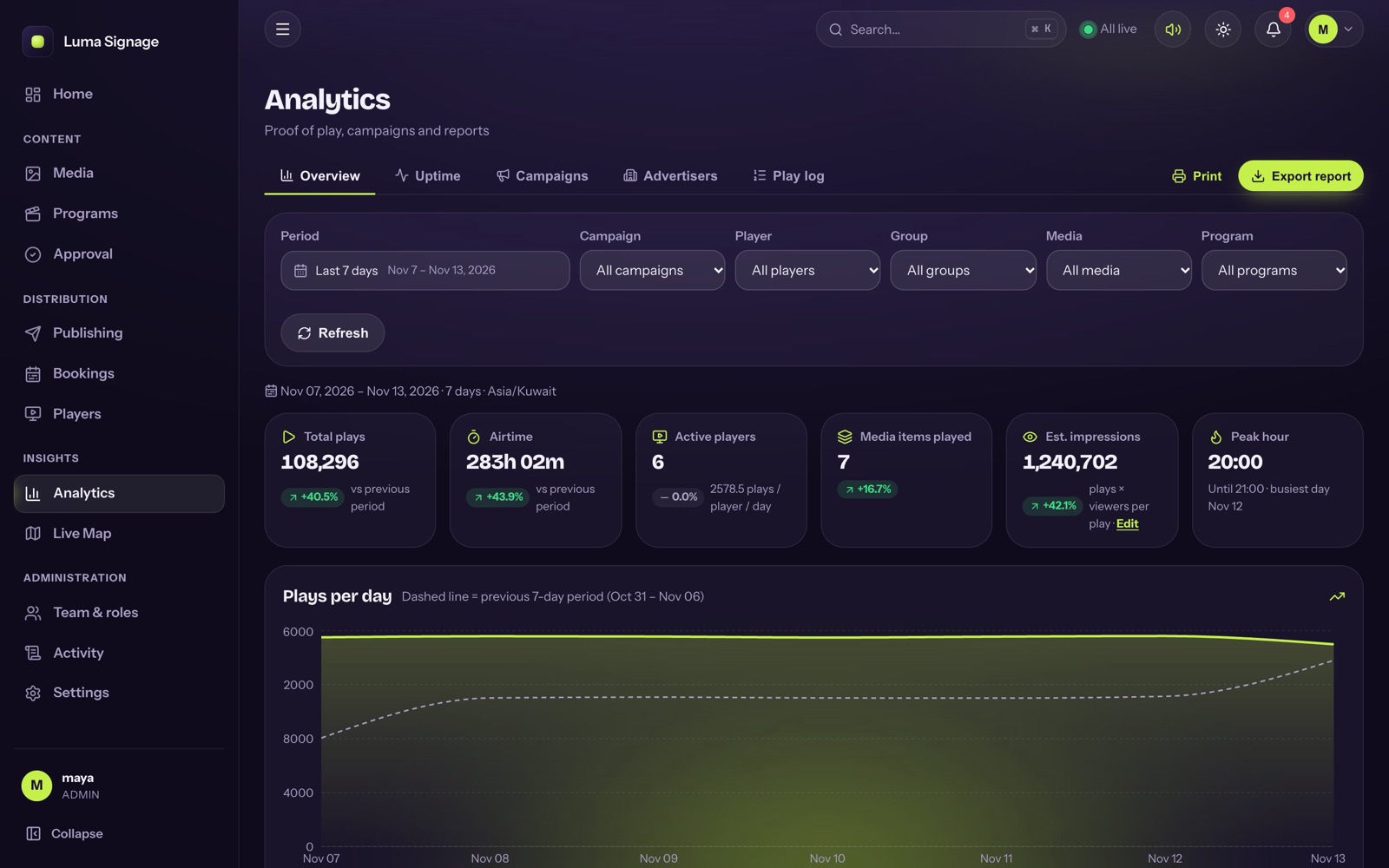
Analytics overview with estimated impressions. Add the contract value
Enter what the advertiser pays in the campaign form. Cards, PDFs, Excel and client links then show cost per thousand impressions (CPM) and cost per play.
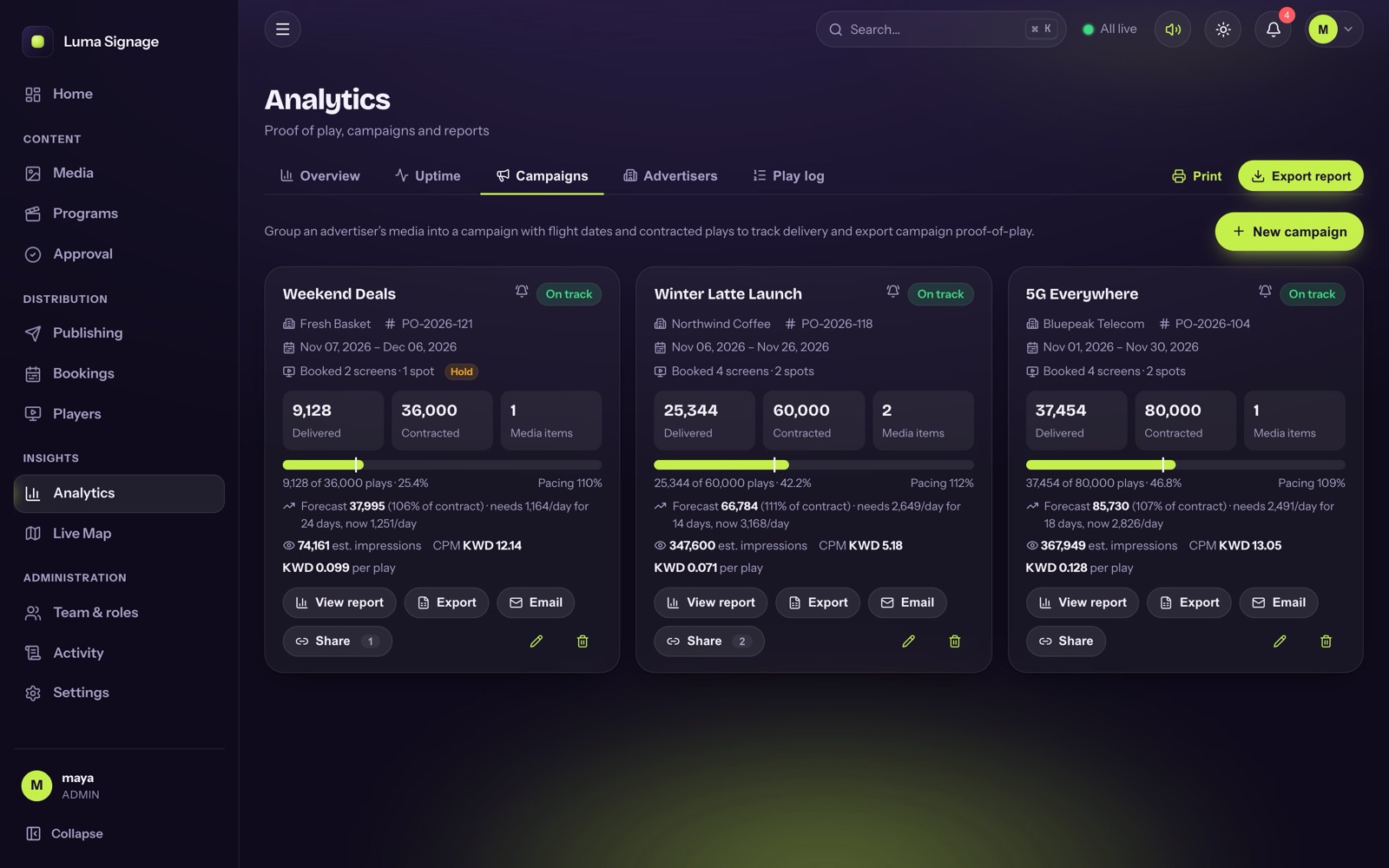
CPM and cost per play on each campaign. Set operating hours and read uptime
Analytics → Uptime → Operating hours: set when each screen is meant to be on. Uptime is then measured only in those hours, from minute-by-minute check-ins, with the longest outage and a per-day chart for every screen.
Tip · Uptime is also printed in PDF reports and shown on client links — the answer to “were the screens actually on?”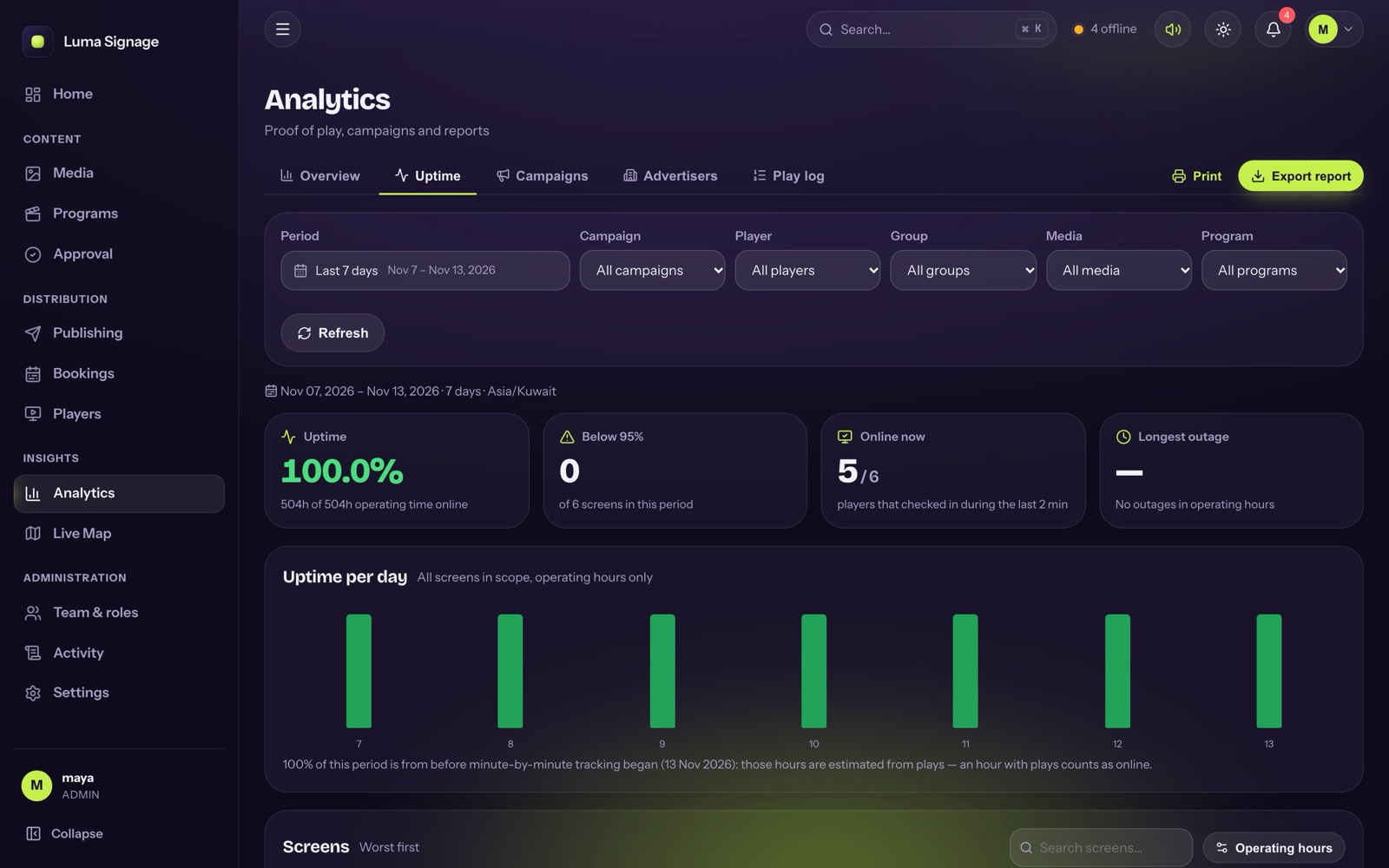
Uptime per day and per screen, during operating hours only.